Categories
Have you been thinking about promoting your business online but don’t know where to start? Wondering how to reach the right audience without breaking the bank? If you’re nodding yes, Google Ads might be exactly what your business needs.
This guide is for anyone looking to learn how to run a Google Ads campaign from scratch. By the end, you’ll understand what Google Ads are, why they matter, and the steps to set up a campaign that drives traffic and boosts sales.
Google Ads is an online advertising platform that allows you to display ads on Google’s search engine and across its partner sites. It’s a pay-per-click (PPC) model, meaning you only pay when someone clicks on your ad.
If you’re wondering how to run a Google Ads campaign, the platform makes it easy to target specific audiences. Whether you’re selling handmade crafts or offering consulting services, Google Ads can put your business in front of your target audience as they search for related products or services.
Here’s why you should consider using Google Ads for your business:
Now that you know why Google Ads are worth your time, here’s a step-by-step guide on how to run a Google Ads campaign. Contact the best digital marketing company in Bangalore to get started today!
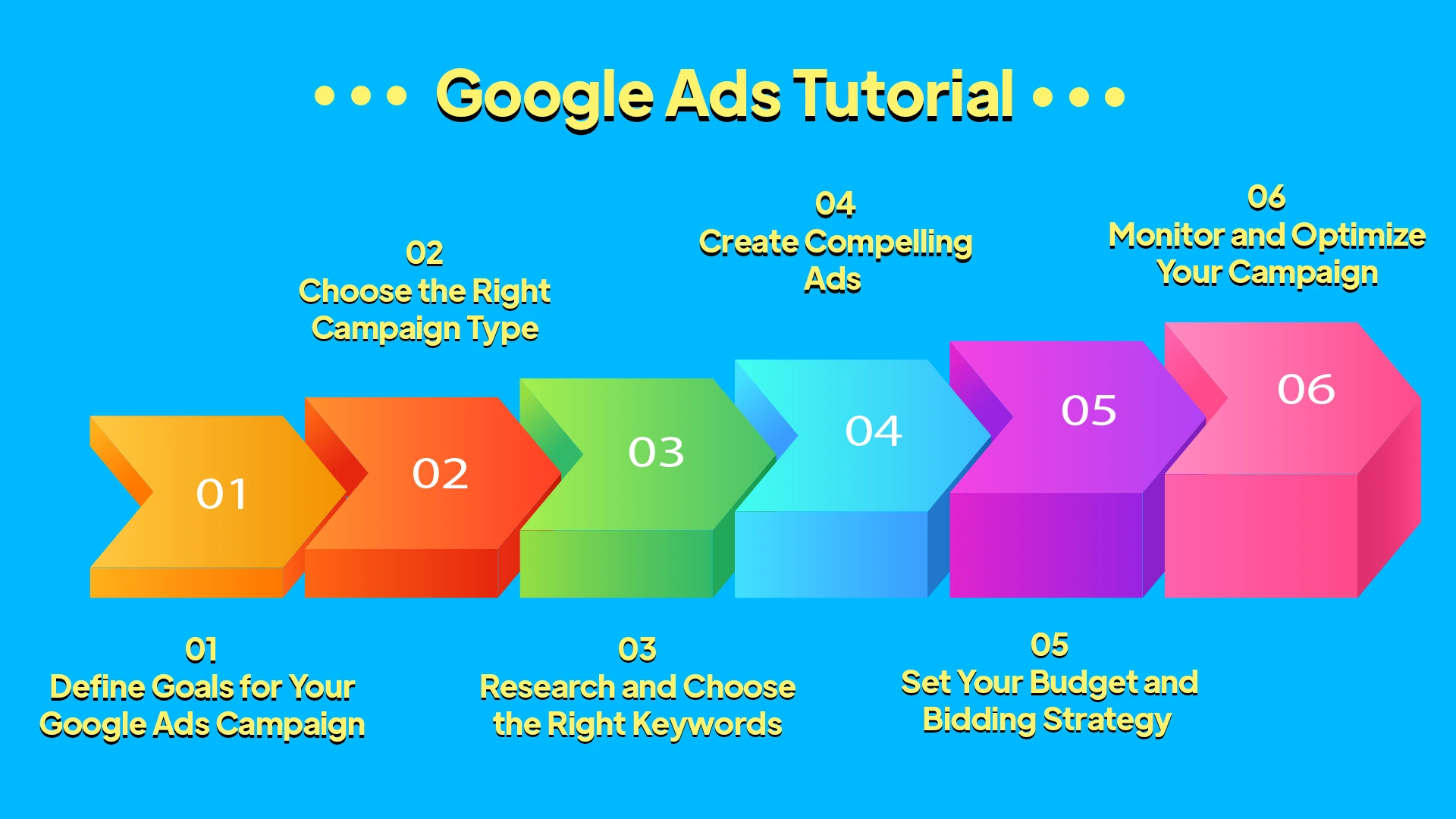
Before jumping into Google Ads Manager, take a moment to ask yourself what you want to achieve. Without clear goals, your campaign will lack focus and direction. If you’re wondering how to run a Google Ads campaign effectively, setting the right objectives is a crucial first step.
Here are three types of goals to consider for your Google Ads campaign:
Pro Tip: Align these goals with your overall business objectives and customer needs for maximum impact. Understanding Google ads for beginners with clear goals can make all the difference in your results.
Google Ads offers multiple campaign types, each designed for different objectives. Selecting the right one ensures your ads reach the right audience effectively. If you’re wondering how to run a Google Ads campaign, here’s a quick guide to three commonly-used campaign types:
Tip: Not sure which to pick? Start with Search Campaigns if your goal is driving traffic or leads.

Keyword research is the backbone of your Google Ads campaign and a key step in learning how to run a Google Ads campaign effectively. Choosing relevant keywords ensures your ads appear when people are searching for products or services like yours.
Here’s how to get it right:
Remember, the right keywords help you maximize ROI while minimizing ad spend. Learning from Google Ads tutorial helps you to start with smart keyword research!
Your ad copy is the first interaction potential customers have with your brand. It needs to be engaging, persuasive, and concise. If you’re wondering how to run a Google Ads campaign, here are some key tips for creating compelling ads:
Tip: Use Google’s ad preview tool to view how your ad will appear in search results and improve your strategy for how to run a Google Ads campaign effectively.

Your campaign budget determines how much you want to spend daily. The bidding strategy controls how you pay for each click or impression. If you’re learning how to run a Google Ads campaign, managing your budget and bidding strategy effectively is key.
Here are three tips to manage your budget and bidding strategy effectively:
1. Start Small: Launch your campaign with a modest budget (e.g., $20/day). Scale up once you identify which ads are performing well.
2. Monitor Cost Per Click (CPC) Regularly: Keep a close eye on costs to ensure you’re staying profitable.
By following these tips, you’ll better understand how to run a Google Ads campaign effectively and maximize your results.
Running a Google Ads campaign isn’t a “set it and forget it” task. Regular optimization ensures you’re getting the best results for your ad spend. If you’re wondering how to run a Google Ads campaign effectively, here’s how you can monitor and adjust your campaigns:
By constantly tweaking and refining your campaigns, you’ll see improved performance over time. Knowing how to run a Google Ads campaign and optimizing it regularly is the key to success.

There you have it! You now know how to run a Google Ads campaign that is goal-focused and optimized for success. Whether you’re a small business owner or just starting your marketing career, Google Ads can take your business to the next level with its massive reach and measurable results.
At RDS Digital, the best digital marketing agency in Bangalore, we help turn your dreams into reality through creative strategies, advanced tools, and proven marketing techniques. We take the time to understand your business goals and craft personalized, multi-channel campaigns that deliver results. From increasing website traffic to driving online sales, our team creates rich, engaging online experiences that grow your business and your bottom line.

#80, 1st mainSanthrupthi
Nagar,JP Nagar 7th Phase, Bengaluru-78

© Copyright 2026, All Rights Reserved by RDS Digital
© Copyright 2024, All Rights Reserved by RDS Digital
Want to grow Your Business With Our Digital Marketing Solutions?